

If your day moves between Microsoft Teams, regular phone calls, Google Voice, and quick voice memos, the hard part usually is not the conversation itself. It is what happens after: finding the important point, checking what was promised, and turning scattered audio into something usable. That is exactly why the new Teams-friendly summary workflow in AI Note Taker - Call Recorder matters.
This update is designed for people who need one place to review calls and spoken notes with less cleanup afterward. In simple terms, AI Note Taker - Call Recorder is a mobile uygulama for iPhone and Android that works as both a call recorder and voice recorder, then turns recordings into transcripts and short summaries for people who need searchable notes from real conversations.
It makes sense that this workflow matters now. DemandSage’s Microsoft Teams statistics roundup reports that Microsoft Teams has around 320 million daily active users worldwide. Another 2026 market overview from SaaSUltra estimates 80 million Teams meetings per day and 2.5 billion messages sent daily. When that much work is happening inside meetings, calls, and voice exchanges, better note handling is not a nice extra. It is basic operational hygiene.
What actually changed in the new workflow?
The improvement is not about making the app louder or busier. It is about making post-call review easier for users who jump between platforms.
With the updated workflow, recordings and voice notes are easier to organize around real use cases: meeting recap, client call follow-up, personal reminder, interview capture, or phone görüşmesi kaydetme for later review. Instead of treating every file as just another audio clip, the app is better at helping users move from recording to usable notes.
For someone who spends part of the day in Teams and another part on a telefon call, that matters more than a long feature list. You want to know: What was agreed? What do I need to do next? Which detail am I likely to forget by tomorrow?
Why Microsoft Teams users feel this problem first
Teams has become the default working environment for a huge number of managers, operations staff, consultants, recruiters, and support teams. According to SQ Magazine’s 2026 Teams growth report, Microsoft Teams generated an estimated $8+ billion in revenue in 2024, which says a lot about how central it has become in business and institutional communication.
But the bigger point for users is simpler: a lot of people now spend their day switching across meetings, chats, and calls without a reliable personal system for capturing what matters.
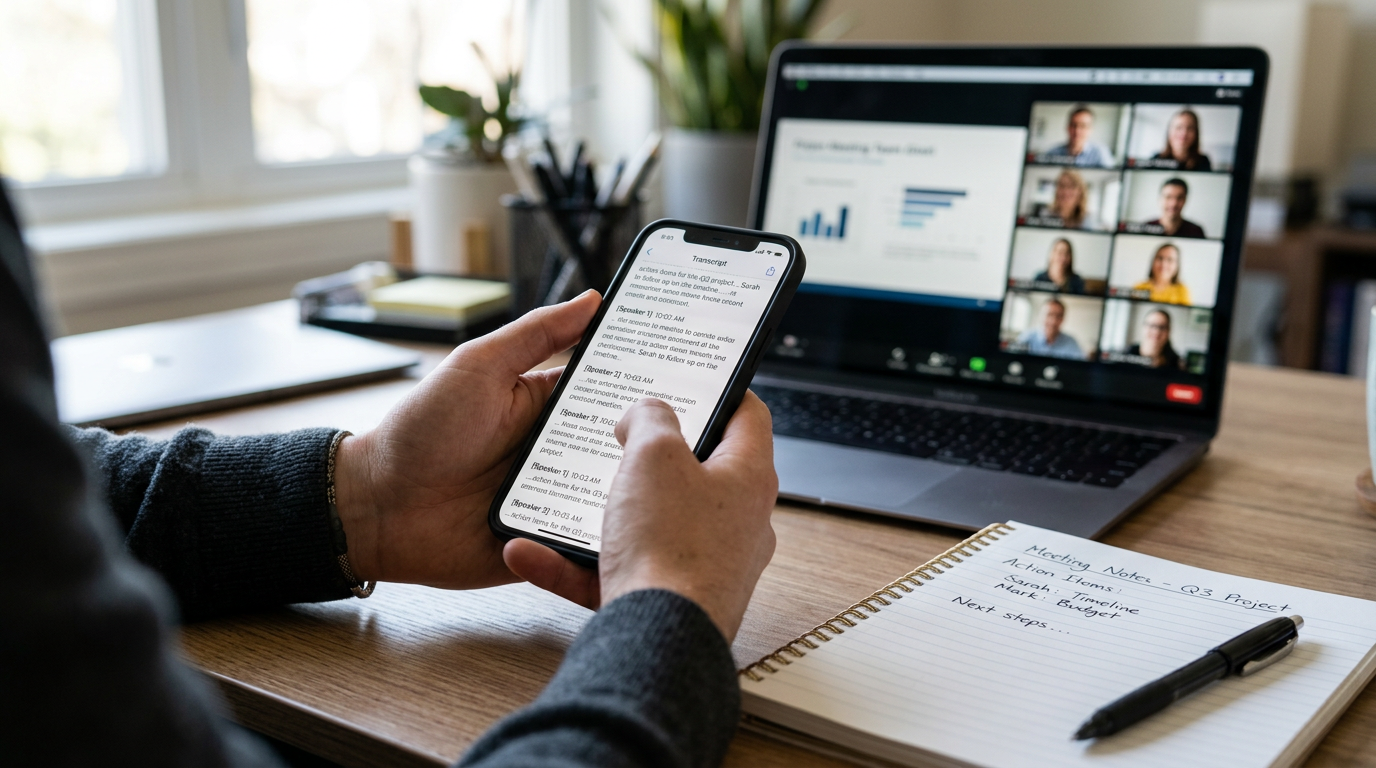
That is where the new workflow helps. If you have a Teams meeting in the morning, a mobile call at lunch, and a voice memo while commuting, you can keep those records in one app flow instead of relying on memory, screenshots, or messy notebooks. Unlike traditional note-taking habits, which often depend on typing while someone is speaking, this approach starts with the audio and builds the notes from there.
That difference matters for people who listen better than they type, or who simply cannot take detailed notes during a live meeting.
Three practical scenarios where the update helps
1. After a Microsoft Teams meeting, you need the real action points
Imagine a project lead joins a Microsoft Teams review with six people. The discussion covers deadlines, one unresolved blocker, and a change in ownership for a task. By the end, everyone says they are aligned. Two hours later, nobody is fully sure who was supposed to send what.
The improved workflow helps by making the meeting recording or follow-up voice summary easier to review and condense. Instead of replaying a long file, the user can check the transcript, scan the summary, and pull out decisions faster.
This is especially useful for:
- small team managers
- freelancers working with multiple clients
- recruiters handling interview notes
- sales and account staff tracking verbal commitments
2. A Google Voice call includes details you cannot risk forgetting
Google Voice is convenient, but convenience does not automatically create a usable record. If a client shares dates, pricing, or a change request during a call, you still need a reliable way to review it later.
With the new workflow, a user can capture the relevant conversation, get a cleaner transcript, and store it alongside other voice records. That is more practical than digging through messages or trying to reconstruct the details from memory.
For people searching for a call recorder or voice kaydedici olarak çalışan bir uygulama, this is often the real goal: not just to save audio, but to save understanding.
3. You record spoken notes between meetings
Not every important note happens inside a formal call. Many users think out loud after a zoom meeting, after a zoom join meeting link session, or while leaving a parking lot after a customer visit. Those quick recordings often contain the clearest summary of what actually happened.
The updated workflow treats those voice notes as part of the same knowledge trail. That means a quick personal recap can sit next to a phone call record or a Teams discussion summary, which makes later review much easier.

How this fits alongside Google Gemini, Meta AI, and other assistant tools
People increasingly use tools like Google Gemini, Meta AI, GPT-based assistants, DeepSeek, Claude by Anthropic, One Note, Otter, and digital journal apps to process information. But there is still a practical gap between “I had a conversation” and “I now have a clear written record I can work with.”
That gap is where a dedicated recorder app still has value.
Google Gemini or Meta AI may help users think through ideas after the fact, but first you need the source material in usable form. If the recording is disorganized, hard to find, or never transcribed properly, the rest of the workflow breaks down. A call and voice recorder is not the same thing as a general assistant. One captures the moment; the other may help interpret it later.
That is why this update feels practical rather than flashy. It improves the first mile of the process: capture, transcript, summary, review.
Who will get the most value from this feature?
The target user is fairly clear. This update is most useful for people whose work or daily life produces lots of spoken information but not necessarily in one single platform.
It is a strong fit for:
- consultants moving between Teams meetings and direct phone calls
- small business owners who want better records of customer conversations
- students and researchers recording interviews or oral reflections
- recruiters and HR teams documenting candidate conversations
- support and service professionals who need dependable follow-up notes
If you want better recall after a meeting or call, AI Note Taker - Call Recorder’s transcript and summary flow is designed for that.
Who is this not for?
It is not for everyone, and that is worth saying plainly.
If you rarely take calls, never review voice notes, and prefer typing everything manually into a notebook or task manager, this update may not change much for you. It is also not the right fit for users looking for a full team-wide project management suite, an answering service, or a replacement for collaboration platforms themselves. This app solves the capture-and-review problem; it does not try to become your entire workplace.
What to look for in a call and voice recorder now
When people compare options, they often focus too much on whether an app can record a call at all. That matters, of course, but it is only one part of the decision.
Better selection criteria include:
- Clarity after recording: Can you actually find the key point later?
- Transcript usefulness: Is the text readable enough to review without replaying everything?
- Summary quality: Does it help you identify decisions, not just produce a wall of text?
- Cross-context use: Can it handle both phone and voice notes, not just one format?
- Ease of use: If the workflow is confusing, most users stop after the first week.
- Platform fit: Does it work for the kind of user you are, whether that is business, study, or personal organization?
That is also why generic storage tools or plain memo apps often fall short. They may save audio, but they do not reduce the effort of turning speech into something actionable.
A few practical questions users ask
Can this help if most of my work happens in Microsoft Teams but my important calls happen on my phone?
Yes. That is one of the clearest use cases. Many people do not live inside a single system, so keeping meeting-related notes and phone conversation records in one review flow is useful.
Does this replace Google Voice, Teams, or Meta AI?
No. Those tools serve different roles. This app focuses on recording, transcription, and summary for calls and spoken notes.
Is this only for business users?
No. It also fits students, journalists, researchers, and anyone who records voice notes as a personal journal or memory aid.
What if I already use one note apps or otter-style tools?
Then the key question is whether your current setup handles both call capture and post-call review in a way that feels simple. If not, a dedicated recorder-first workflow may be easier.
Why this update matters more than another “smart” feature
There is a lot of noise around digital assistants right now, from Google Gemini to Meta AI and every new productivity layer attached to them. But many users do not need another place to think about information. They need a better way to retain the information they already hear.
That is the practical value of this improved workflow. It respects the fact that real work happens across calls, Teams discussions, voice memos, and quick follow-ups, not inside a perfectly tidy system.
If your notes usually begin with something someone said out loud, not something you typed, that distinction matters.
For readers comparing everyday workflows, it may also help to see how the app handles broader call and note capture needs in context at AI Note Taker - Call Recorder. And if your main challenge is keeping spoken information organized after meetings and calls, the app’s combined call recorder and voice recorder approach is the part worth paying attention to.