

Are you still relying on manual notes or scattered audio files to manage your daily communications? The modern shift in user behavior reveals that traditional note-taking is obsolete; the new standard requires integrated, AI-driven call recording and transcription to capture every detail without slowing you down. As a digital marketer specializing in App Store Optimization and mobile growth, I constantly analyze how users interact with utility applications. What I have observed over the past few years is a massive behavioral shift. People are exhausted by fragmented workflows and are demanding intelligent, all-in-one solutions.
To understand where mobile productivity is heading, we need to look at hard data. According to the recently published Mobile App Trends 2026 report by Adjust, global app installs grew by 10% in 2025, and consumer spending surged by 10.6% to reach a staggering $167 billion. Users are willing to invest in apps that genuinely streamline their lives. Furthermore, the report highlights that AI is transitioning from a strategic luxury to the fundamental infrastructure of mobile applications.
Despite this rapid technological advancement, many professionals—from freelance consultants to small business teams—cling to outdated habits when capturing their conversations. Let’s examine four persistent myths about mobile audio capture and the actionable steps you can take to modernize your workflow.
Stop Relying on a Basic Notepad for Complex Conversations
The most common misconception I encounter is the assumption that manual notes are sufficient for professional calls. Many users think that keeping a physical journal on their desk, or having an app like Google Keep or OneNote open during a conversation, is the safest way to record information.
The reality is that human memory and typing speeds cannot keep up with the natural flow of conversation. When you are deep into a client negotiation or an interview, looking down at a notebook or trying to type into a digital notepad breaks your focus. You end up with fragmented bullet points that lack context. Worse, if you only rely on OneNote or a basic note app, you lose the exact phrasing of verbal agreements.
As my colleague Emre Yıldırım detailed in his post about solving the fragmented audio problem, forcing yourself to jump between a dialer, a note app, and a generic voice recorder is a surefire way to lose data. You need a unified system that captures the raw audio and immediately translates it into a searchable format.
Recognize AI as Core Infrastructure, Not Just a Trend
Another major myth is treating AI as an optional, secondary tool for occasional tasks. People often use advanced text generators like Claude by Anthropic, Pingo AI, Manus, or Turbo AI for drafting emails, but they still rely on a default, featureless voice app for recording their actual calls.
The Adjust 2026 report specifically notes that artificial intelligence is no longer just an add-on; it is the underlying architecture of successful apps. Users expect their mobile tools to handle the complex processing. When you record a phone call, you should not be left with an anonymous MP3 file named "Audio Recording 4". You need a system that identifies speakers, provides a summary, and highlights action items.
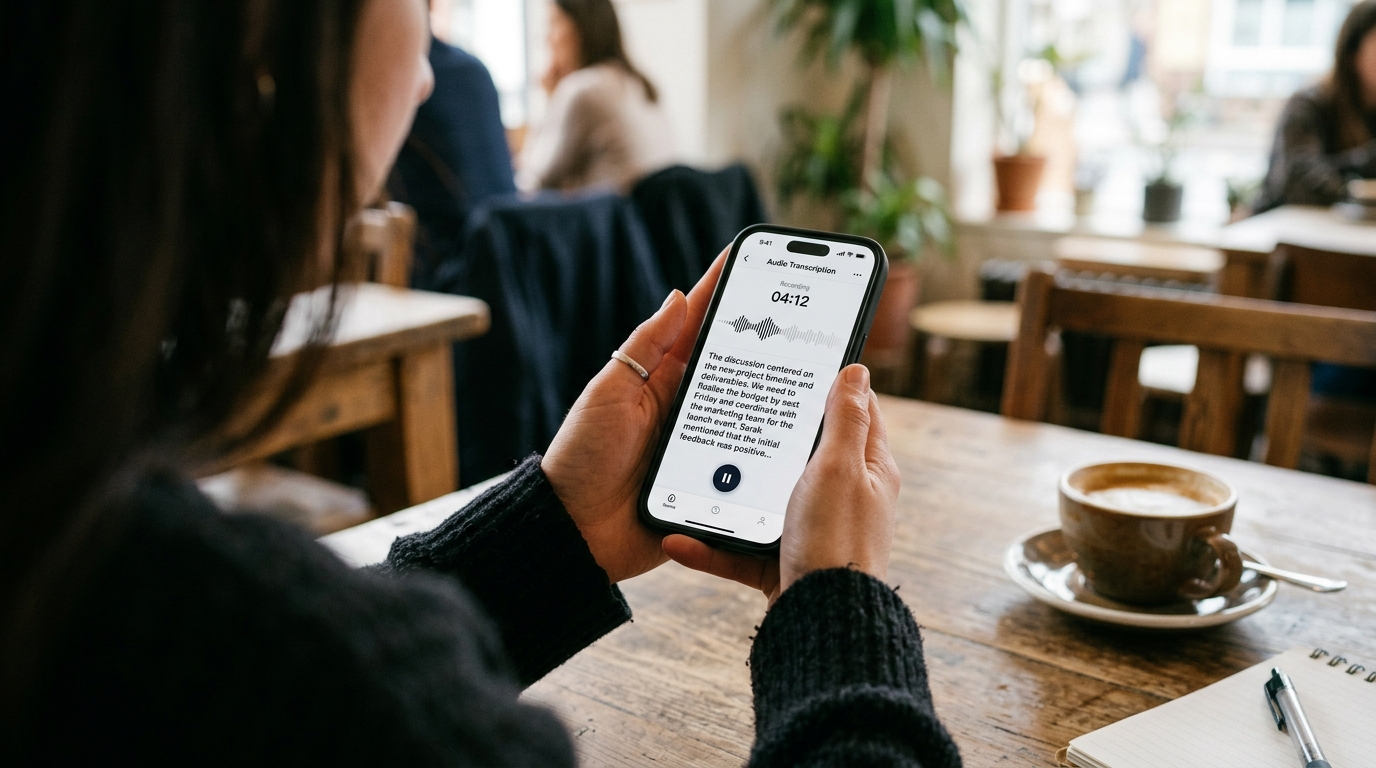
Call Recorder - AI Note Taker is built on this exact premise. It functions as both a phone call recorder and a voice recorder, specifically designed for students, freelancers, and small teams who need instant, AI-backed transcriptions directly on their mobile devices. If you want to turn a thirty-minute client brief into a concise, readable summary before you even hang up, this app's unified capture feature is designed for that.
Abandon Outdated Answering Service and Voicemail Habits
We often tell ourselves that standard telecom features are "good enough." You might assume that a traditional answering service or your carrier's default voicemail will handle missed information just fine.
Consider the very real scenario of disputing a bill. If you spend an hour navigating a Comcast customer service number, or if you manage business inquiries through a secondary line on a TextNow app, relying on standard carrier voicemail to document those interactions is a massive liability. Standard telecom features do not provide proof of exactly what was promised during a live call.
Furthermore, privacy and tracking preferences are changing. The Adjust report indicates that iOS App Tracking Transparency (ATT) opt-in rates increased from 35% in Q1 2025 to 38% in Q1 2026. Users are becoming more intentional about how their data is handled. By moving away from opaque carrier services and adopting a dedicated app on your phone, you retain local control over your crucial conversational data.

Choose Mobile-Native Tools Over Heavy Enterprise Platforms
The final myth involves the tools we choose to solve the audio problem. As remote work stabilized, many assumed that enterprise desktop tools were the best fit for everything. You might be accustomed to corporate meeting bots like Otter AI dropping into a scheduled Zoom meeting.
While Otter is powerful for corporate desktop environments, it creates friction on mobile. If you receive a last-minute meeting link while commuting, or if you simply need to know how to record a phone call on Android without a clunky interface, heavy enterprise bots are the wrong tool. They are often slow to load on cellular networks and require complex calendar integrations.
Speed and native performance are critical. According to recent 2026 industry benchmarks, 70% of mobile users will immediately delete an app if it suffers from slow performance or poor native integration. Mobile users require lightweight, fast utility. As Selin Korkmaz accurately pointed out regarding why we are deleting productivity apps in 2026, the tolerance for clunky, non-native software has vanished.
When selecting your capture tools, prioritize mobile-native selection criteria: zero-lag startup, offline recording capabilities, and immediate on-device processing. A modern mobile app company understands that the user interface must be as intuitive as a standard dialer, but backed by complex machine learning algorithms.
Aligning Your Habits with Modern Realities
The data from 2026 makes it clear: the era of fragmented note-taking and manual audio management is over. Settling for an outdated answering service or struggling with heavy desktop bots on your smartphone are habits that actively hinder your productivity.
By understanding these mobile market shifts and upgrading to integrated, AI-driven transcription tools, you protect your time and your data. Evaluate your current setup today, discard the applications that slow you down, and invest in native infrastructure that captures the true value of your daily conversations.